Python Real-Time Project for DevOps on AWS using Lambda Function.
As Cloud Engineers, We take care of the AWS environment and make sure it complies with the organizational Policies. We use AWS Cloud Watch in combination with AWS Lambda to govern the resources accordingly to the policies.
For Ex, We trigger a lambda function when an EBS volume is created, we use Amazon CloudWatch Events. CloudWatch Events allows us to monitor and respond to EBS volumes that are of type GP2 and convert them to type GP3.
Create a Lambda Function.
We will create the Lambda Function with Python which will trigger from cloudwatch event based when a new EBS volume gets created.
Python Code :
 import boto3

 def extractvolumeID(volume_arn):
     arn_parts= volume_arn.split(';')
     volume_id= arn_parts[-1].split('/')[-1]
     return volume_id

 def lambda_handler(event,context):

       volume_arn= event['resources'][0]
       volume_id= extractvolumeID(volume_arn)

       ec2_client = boto3.client('ec2')

       response = ec2_client.modify_volume(
       VolumeId=volume_id,
       Size=123,
       VolumeType='gp3',
       )
Go to Lambda services in AWS and create a new function as below.
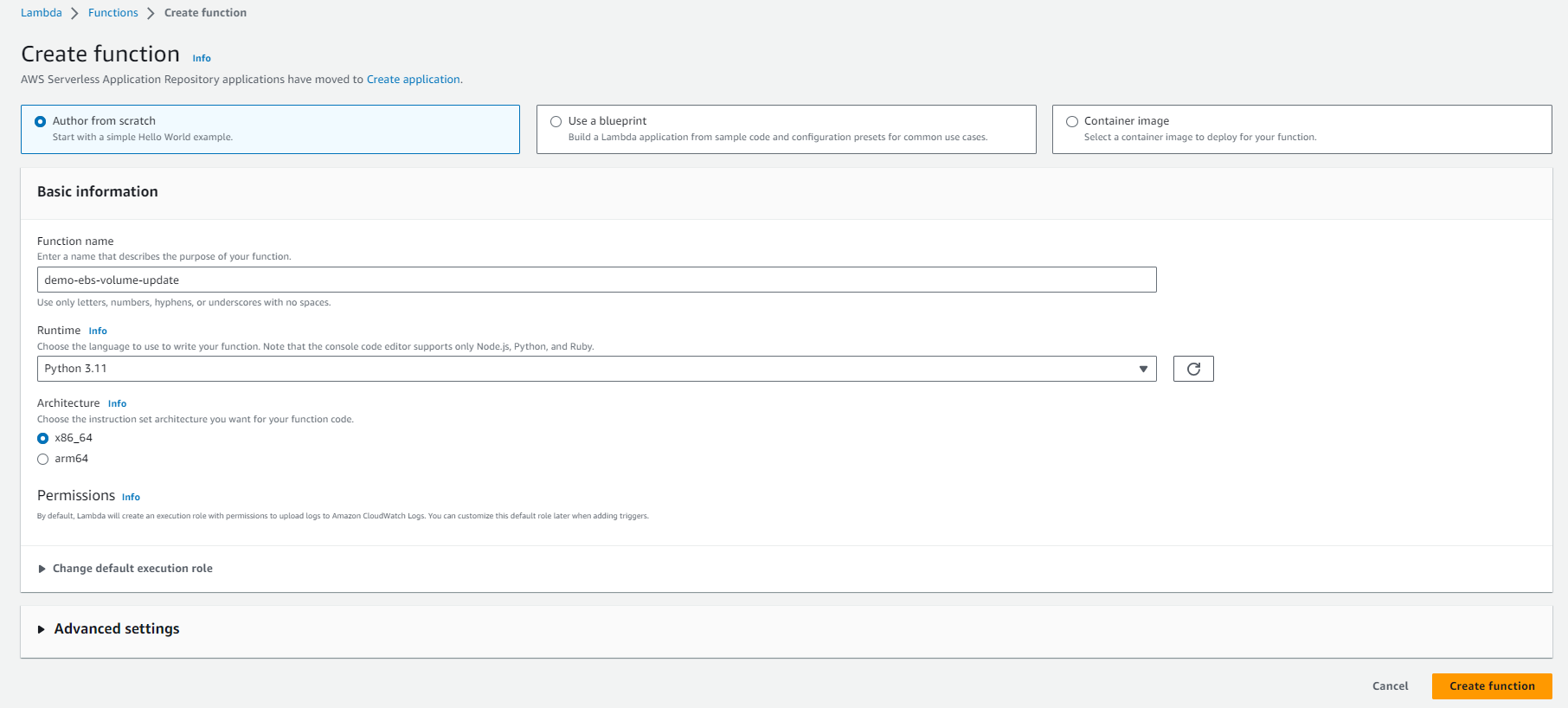
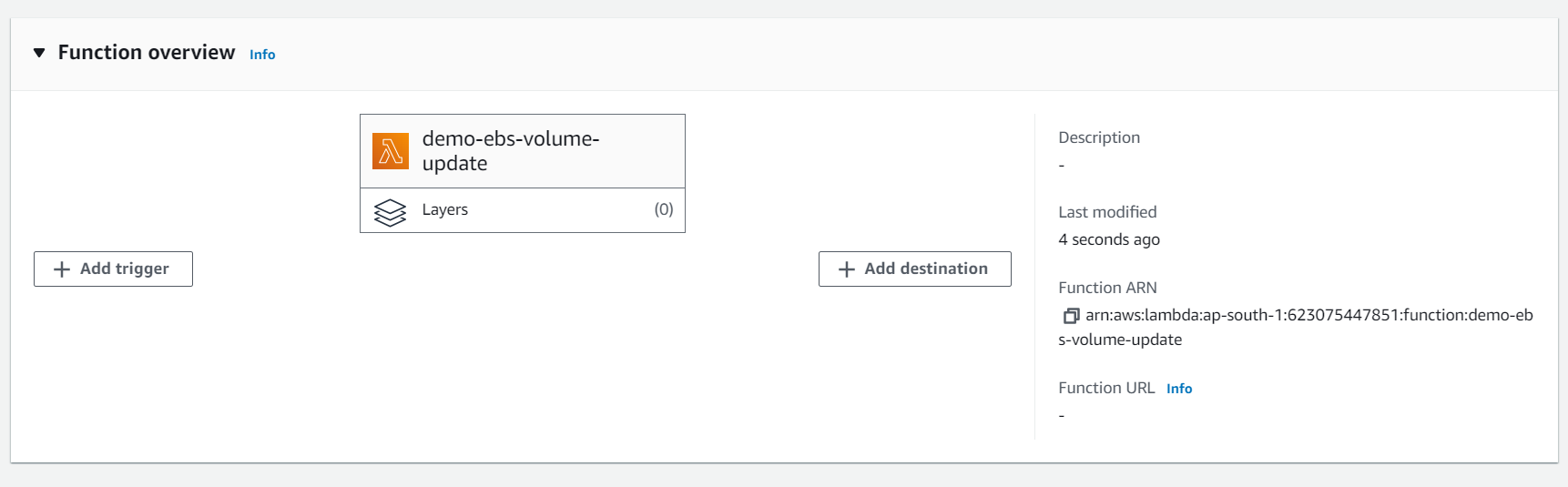
Once your lambda function is created, copy the Python code in the lambda function and click on Deploy.
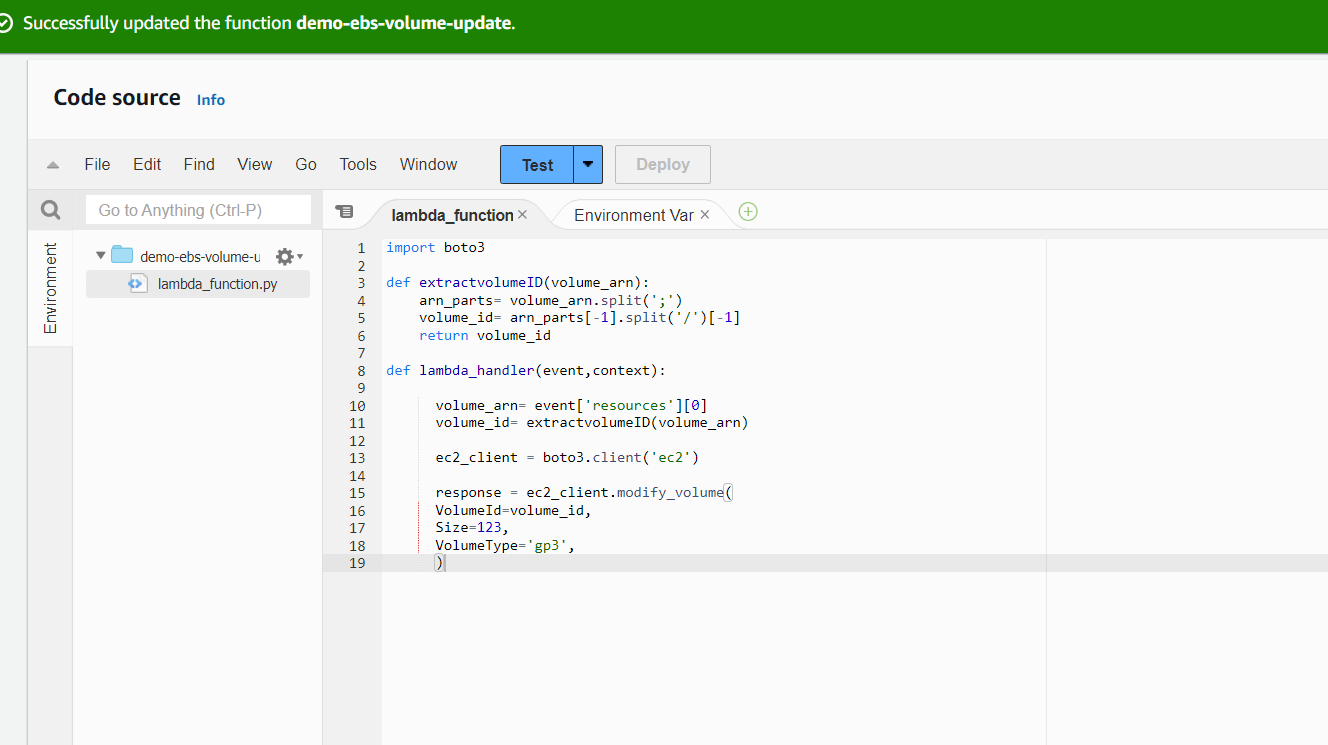
Now, Click on the Test to test the lambda function. you will get the below pop-up screen, fill in the details below and save it.
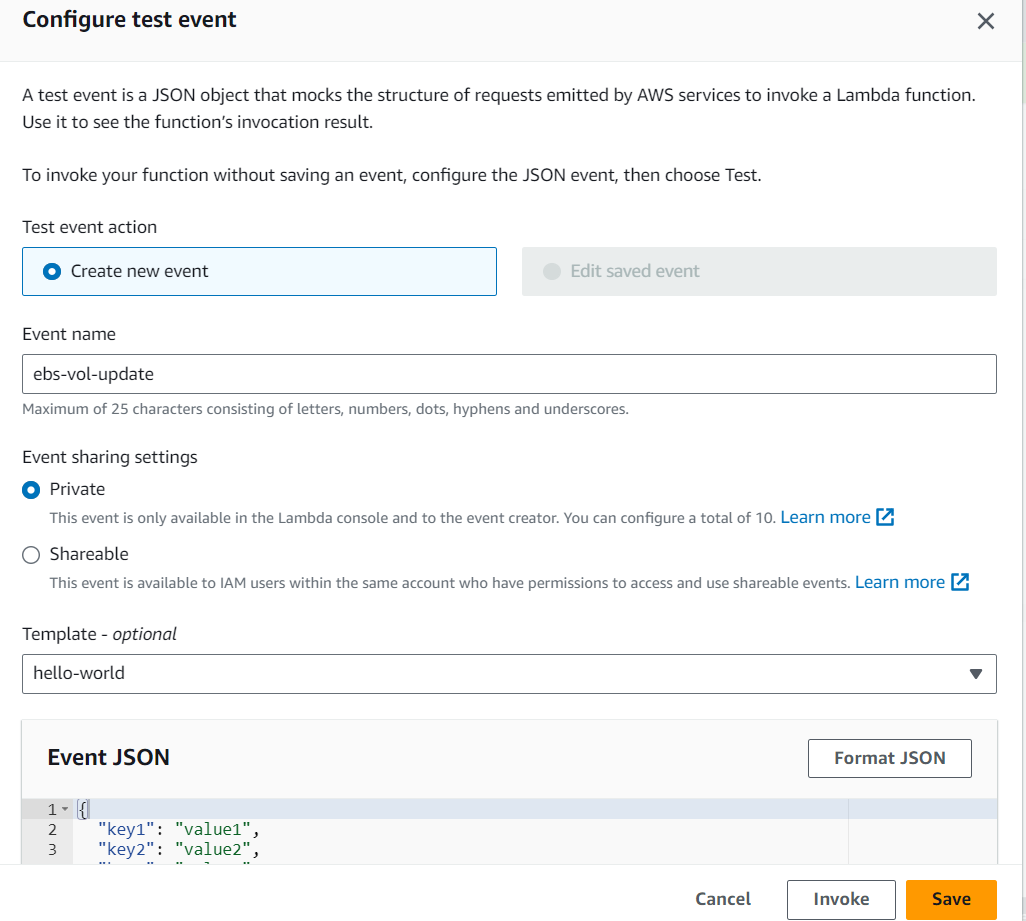
Create the Cloudwatch Event to trigger the Lambda Function.
Go to CloudWatch and check on the left-hand side, you will see Events and select Rules there.
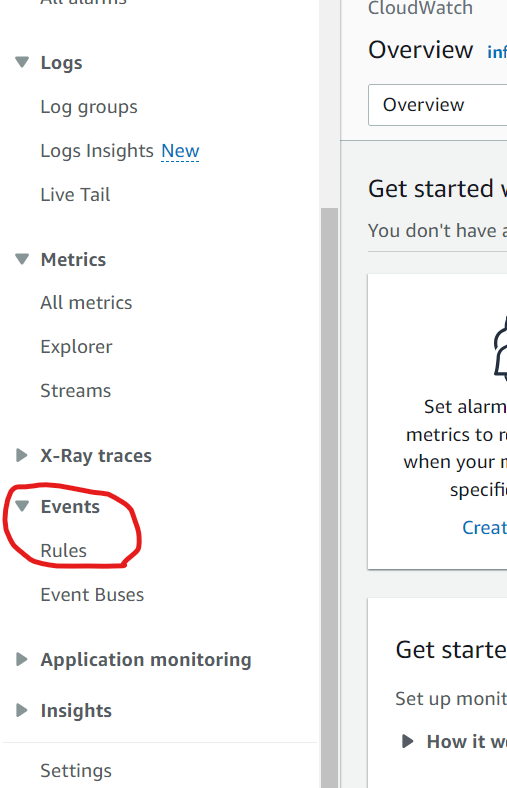
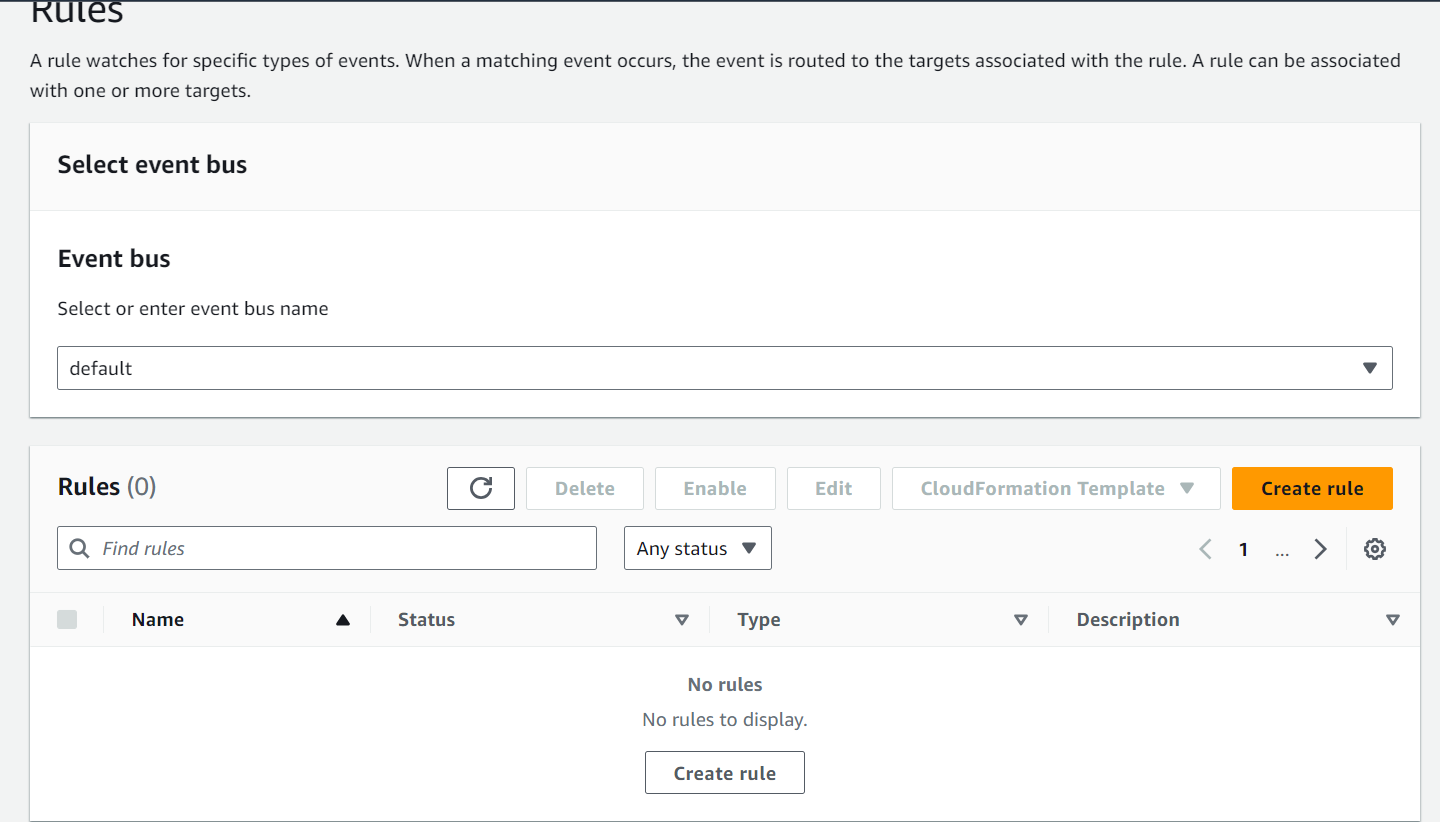
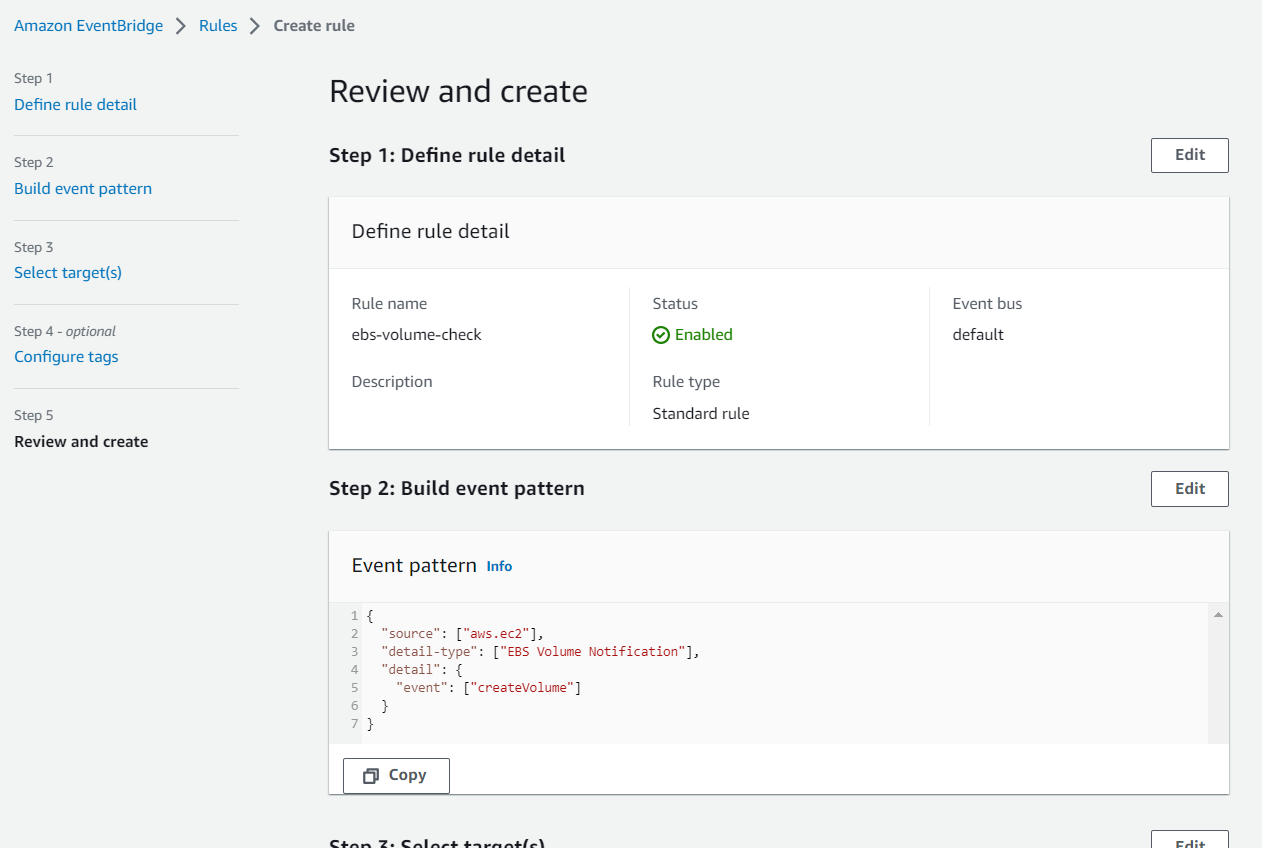
Now, create a new Rule here as below.
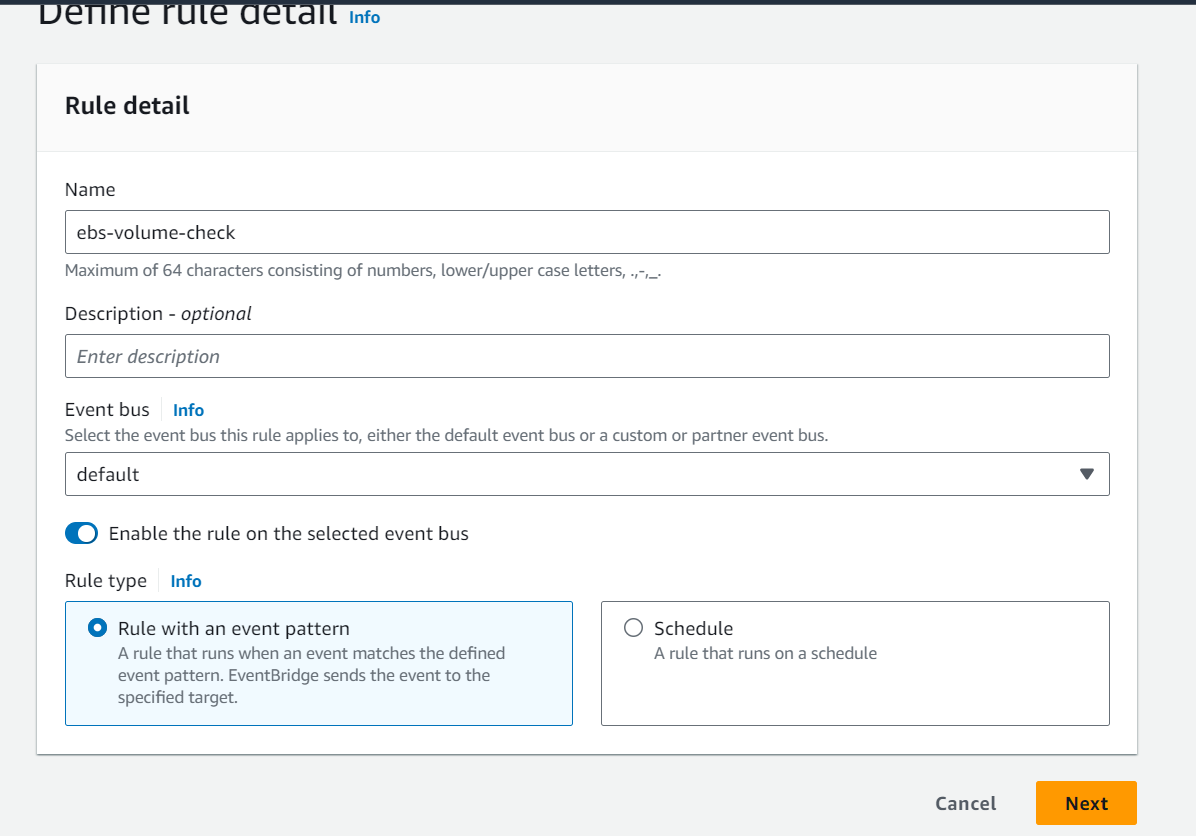
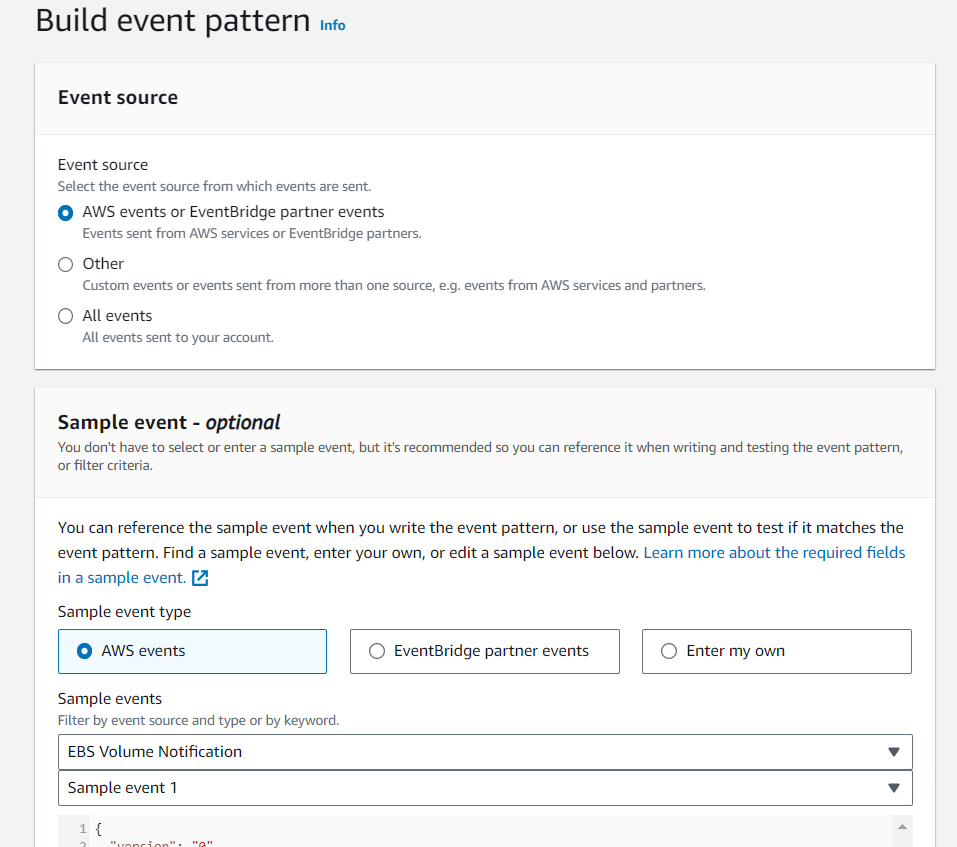
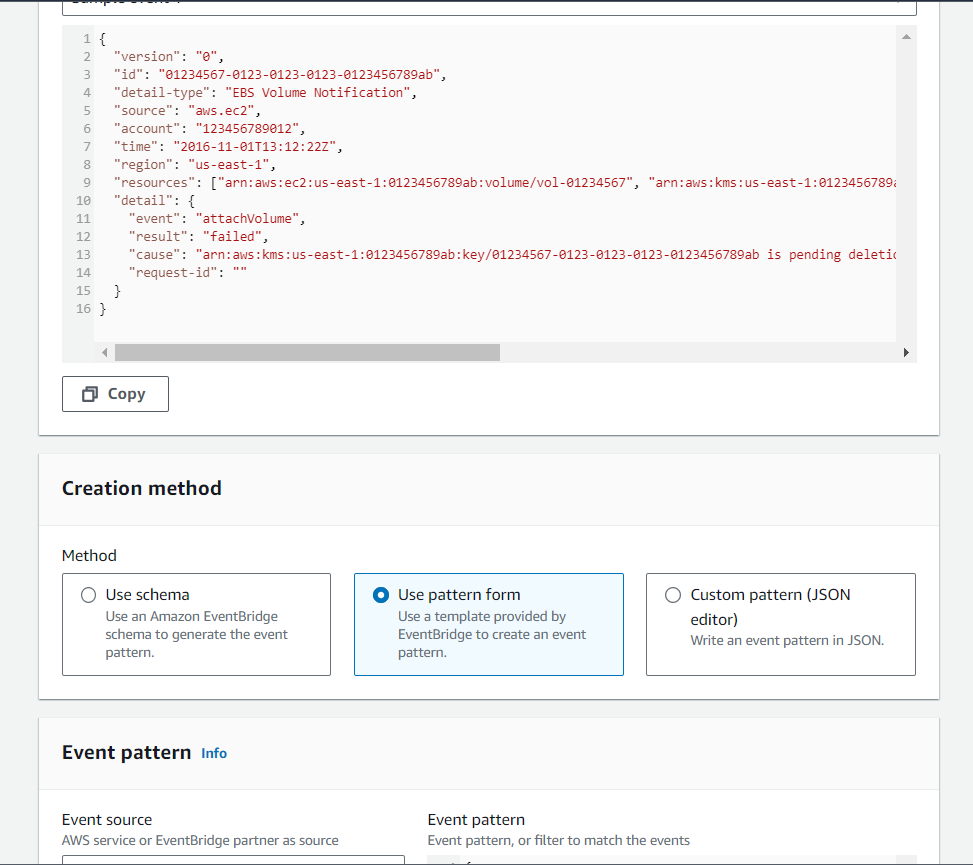
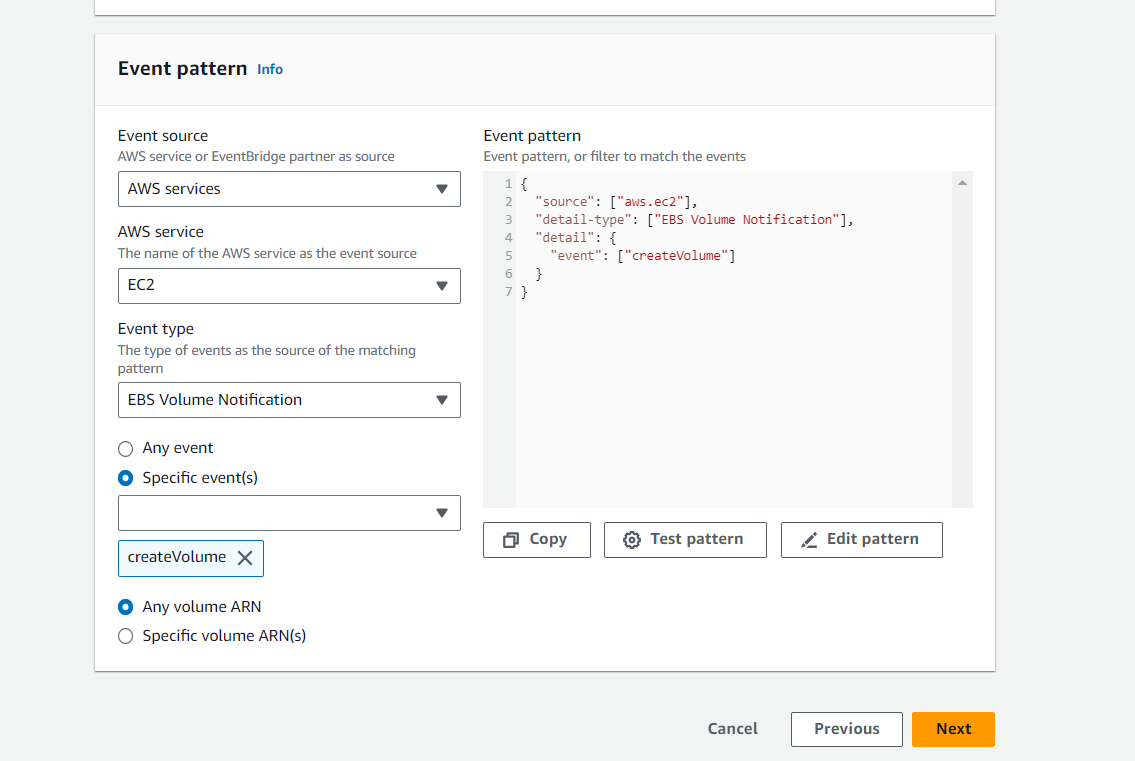
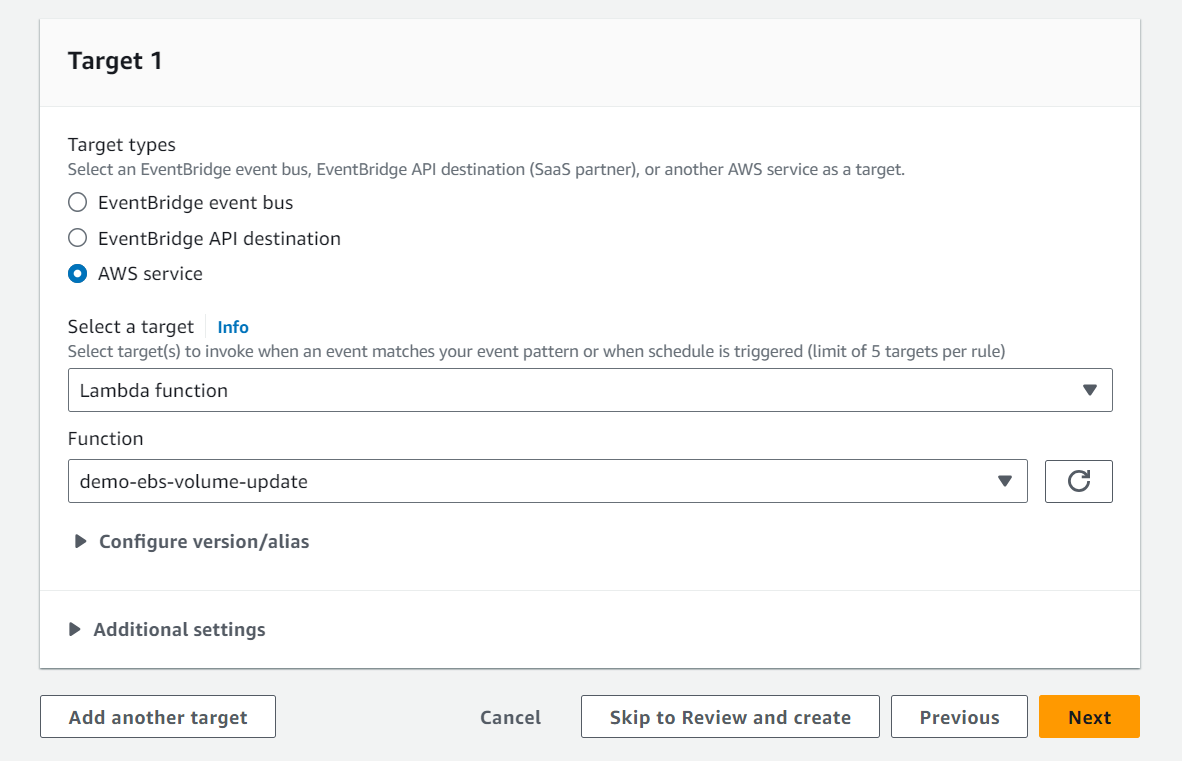
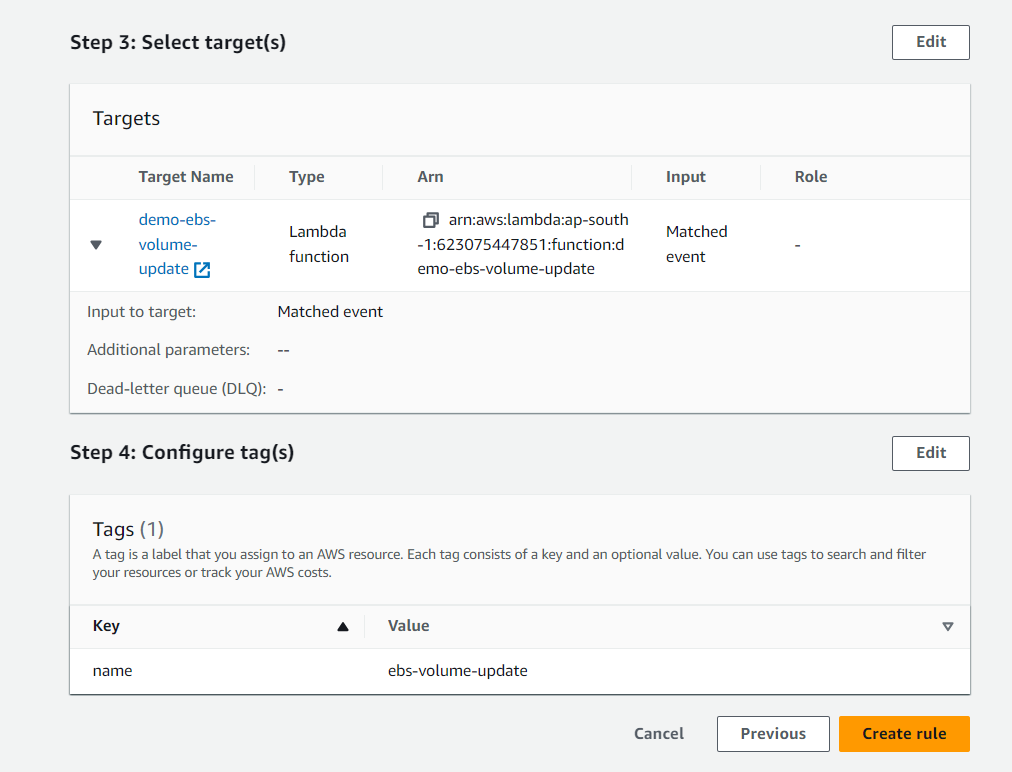
after filling in the details as shown above, you will get the detailed screen below. check the details and create the Rule.
Assigning Required Policies to the Roles created for the Cloudwatch to trigger the Lambda function.
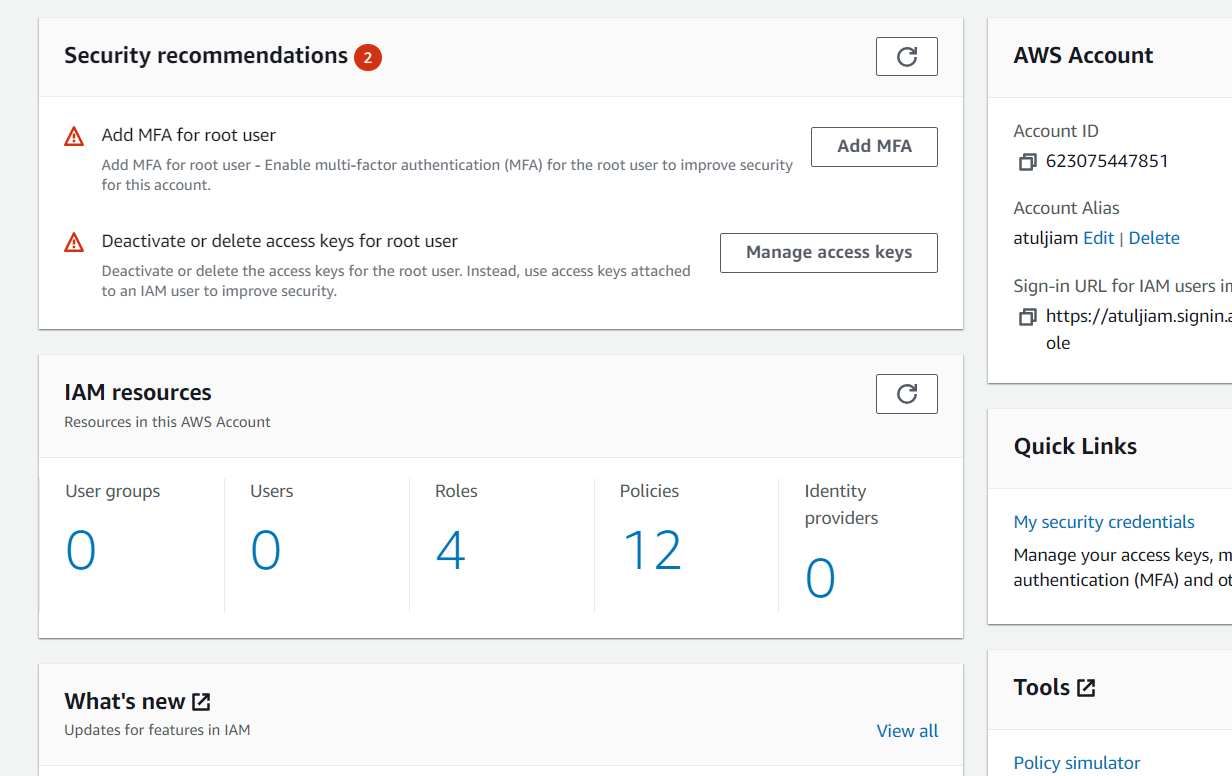
Go to the IAM service and check for the Role created by AWS for this. By default, AWS creates a Role. Click on the Roles.
You will see below the role created by AWS for the Clouwatch event to trigger the Lambda function.
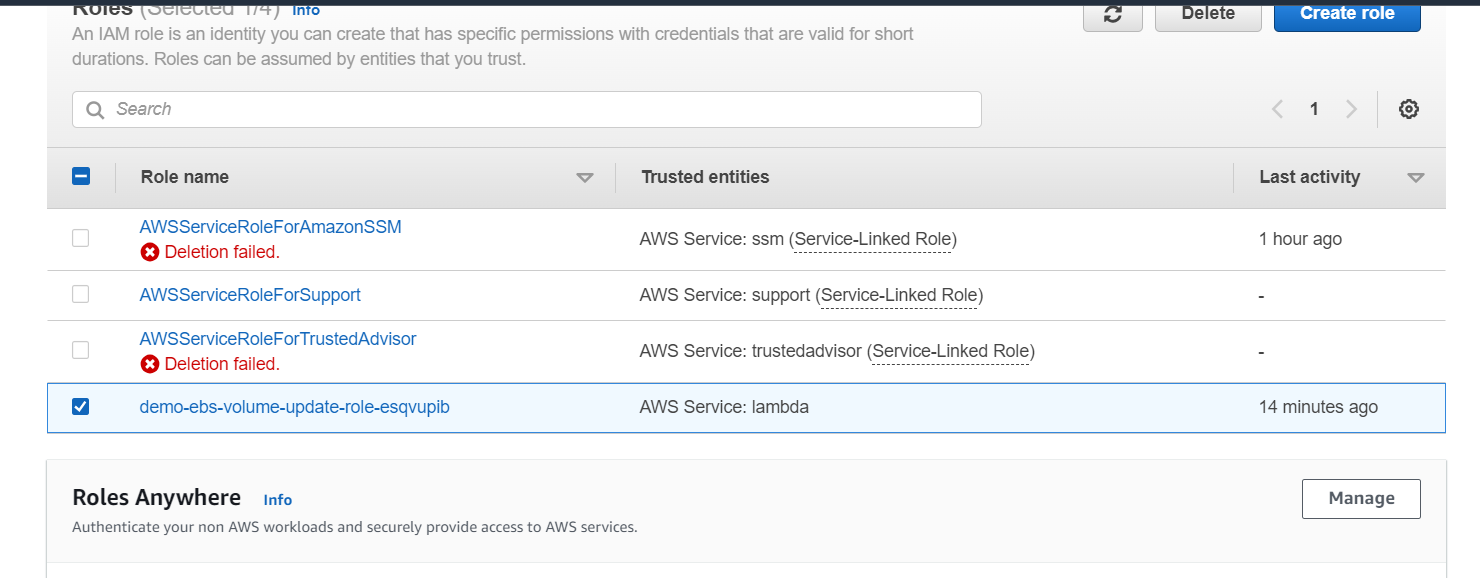
Select that Role and open it, you will get below screen.
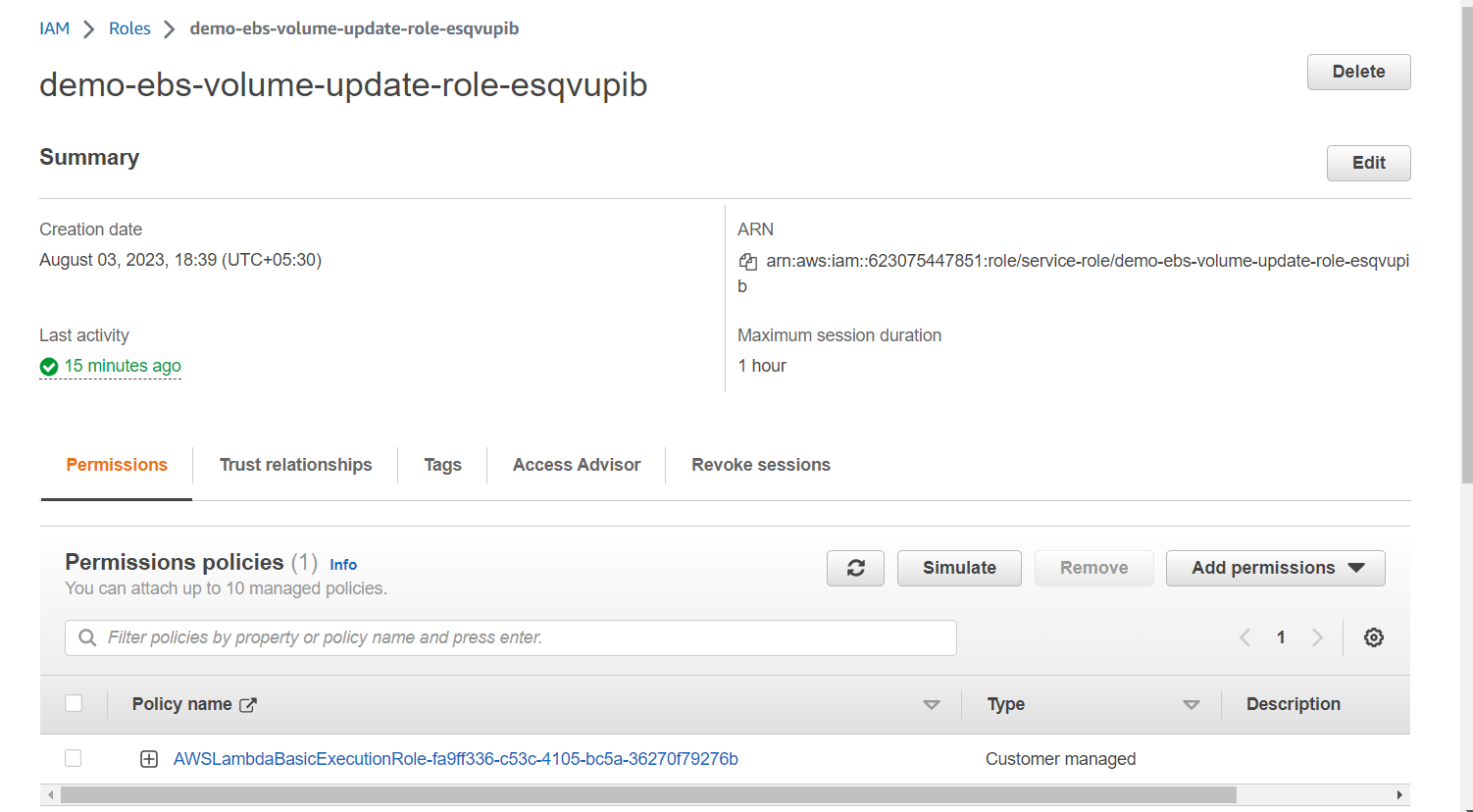
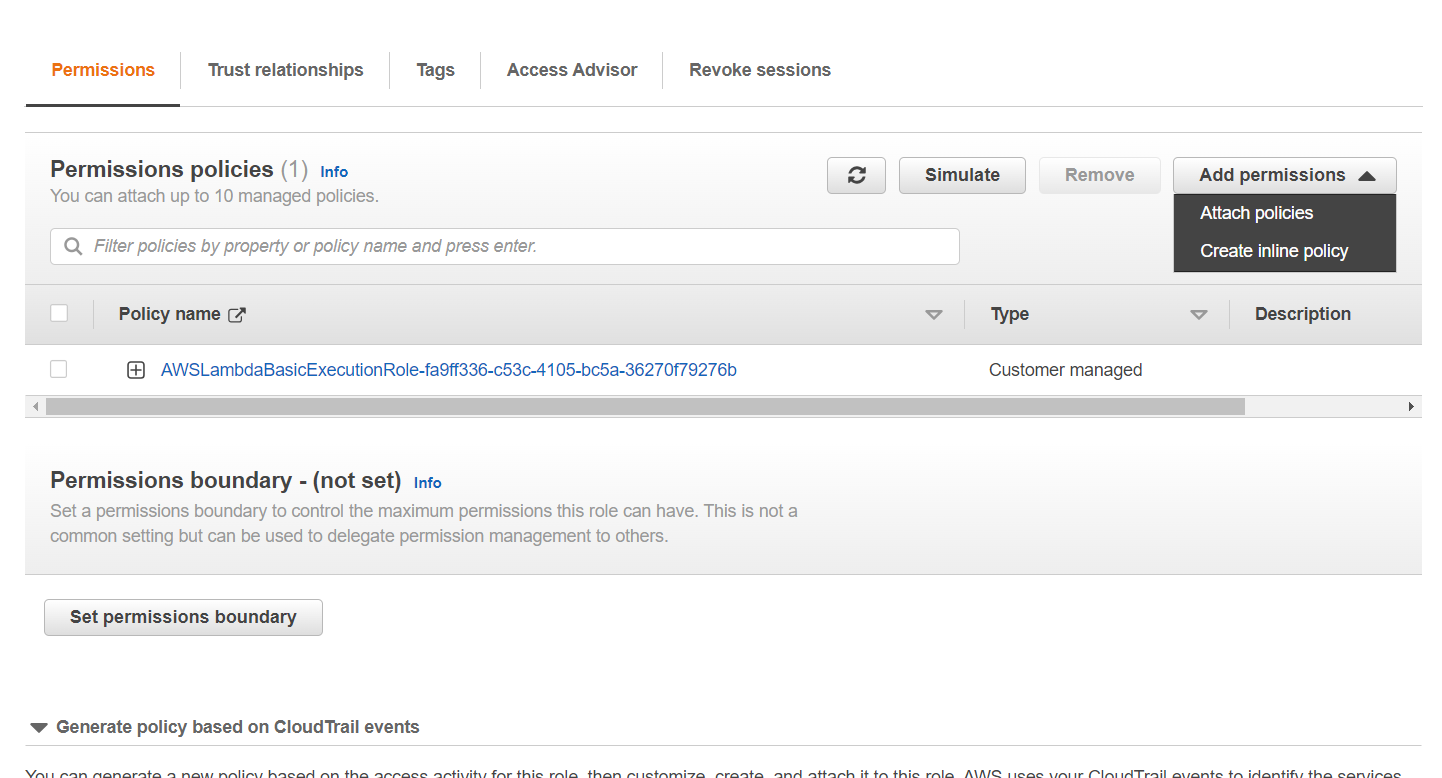
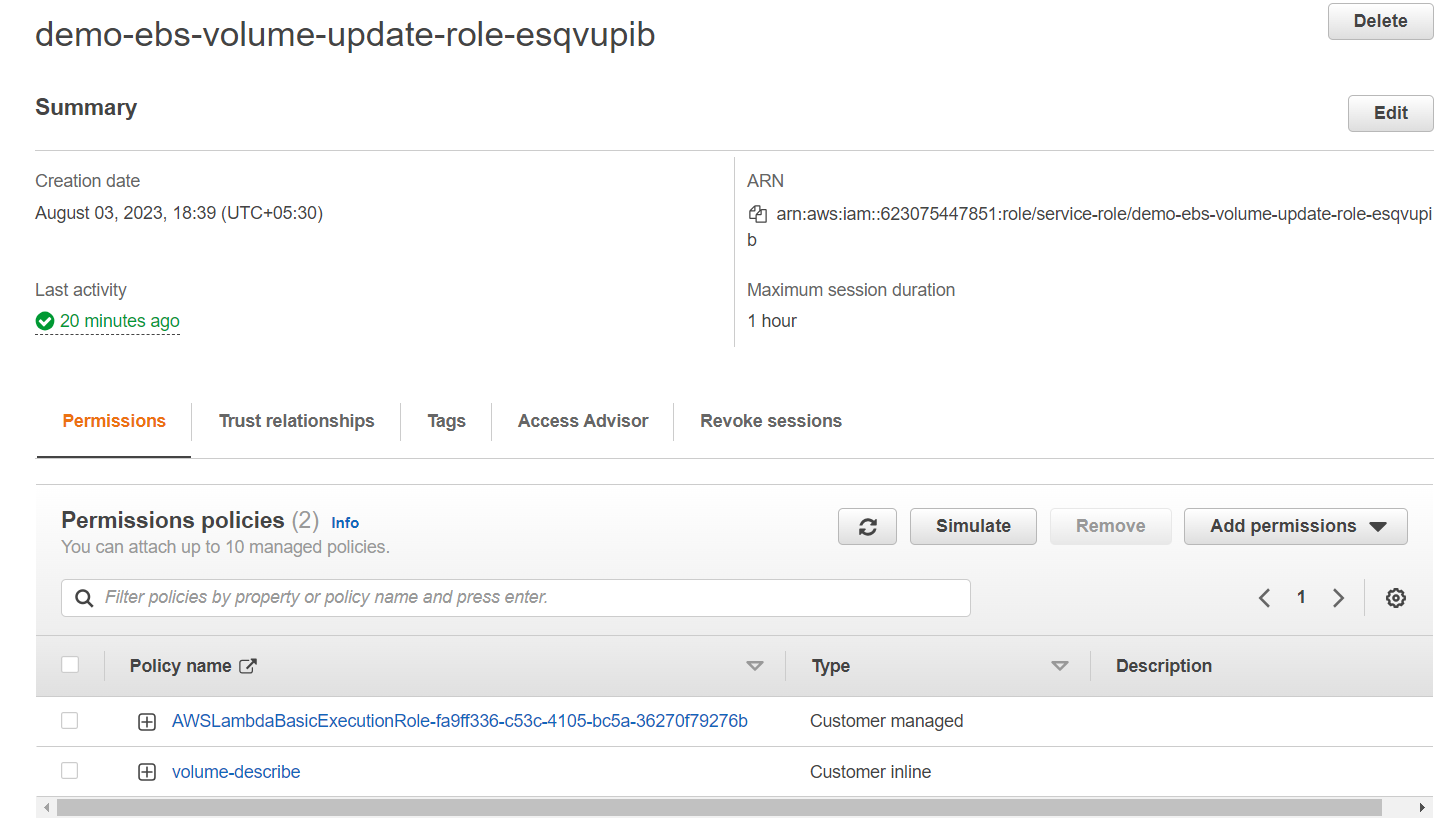
here, go to Add Permissions and create an inline policy. In the services select EC2 as services and from the drop down search for the Volumes and select the policies as selected below.
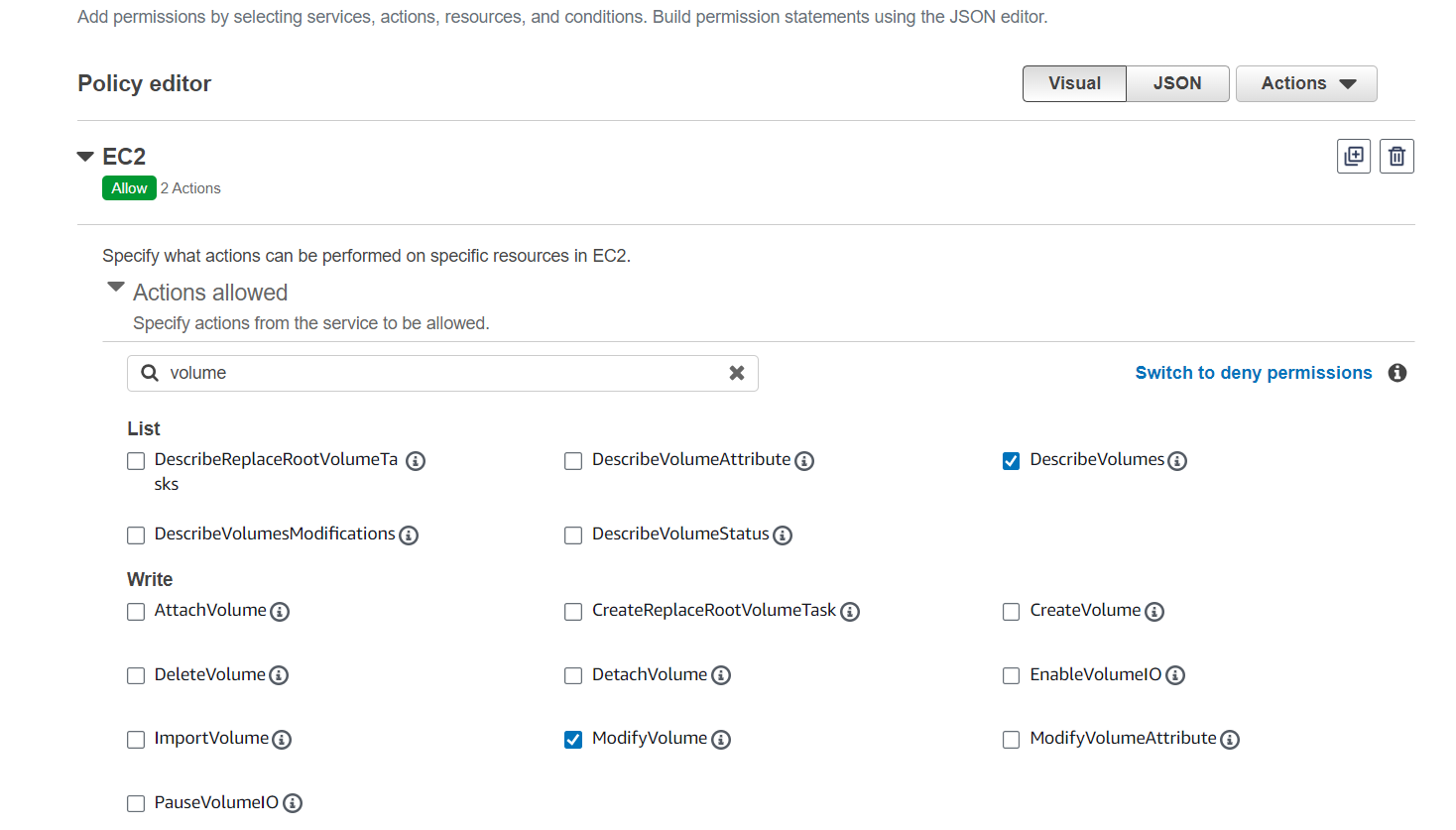
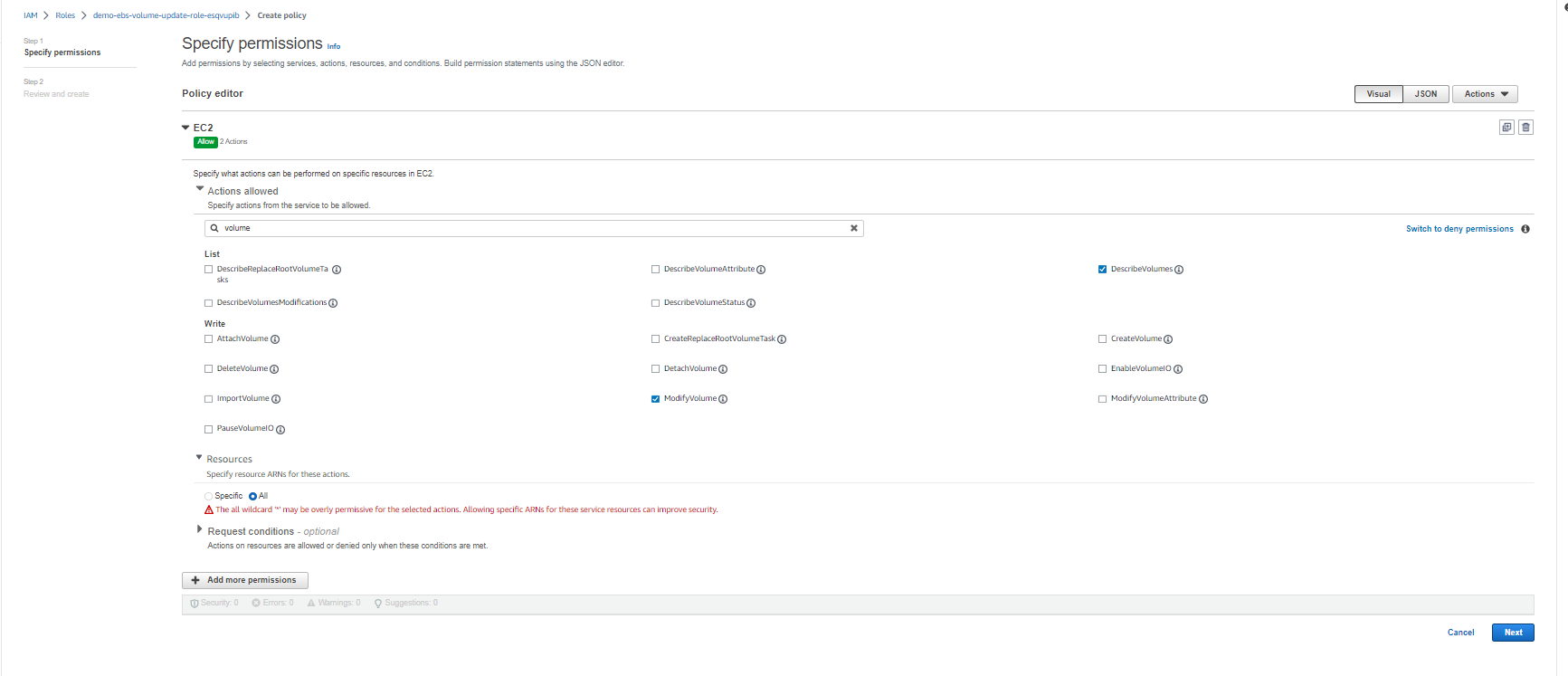
Click on the next button. You will see below details, enter the policy name and create the Policy.
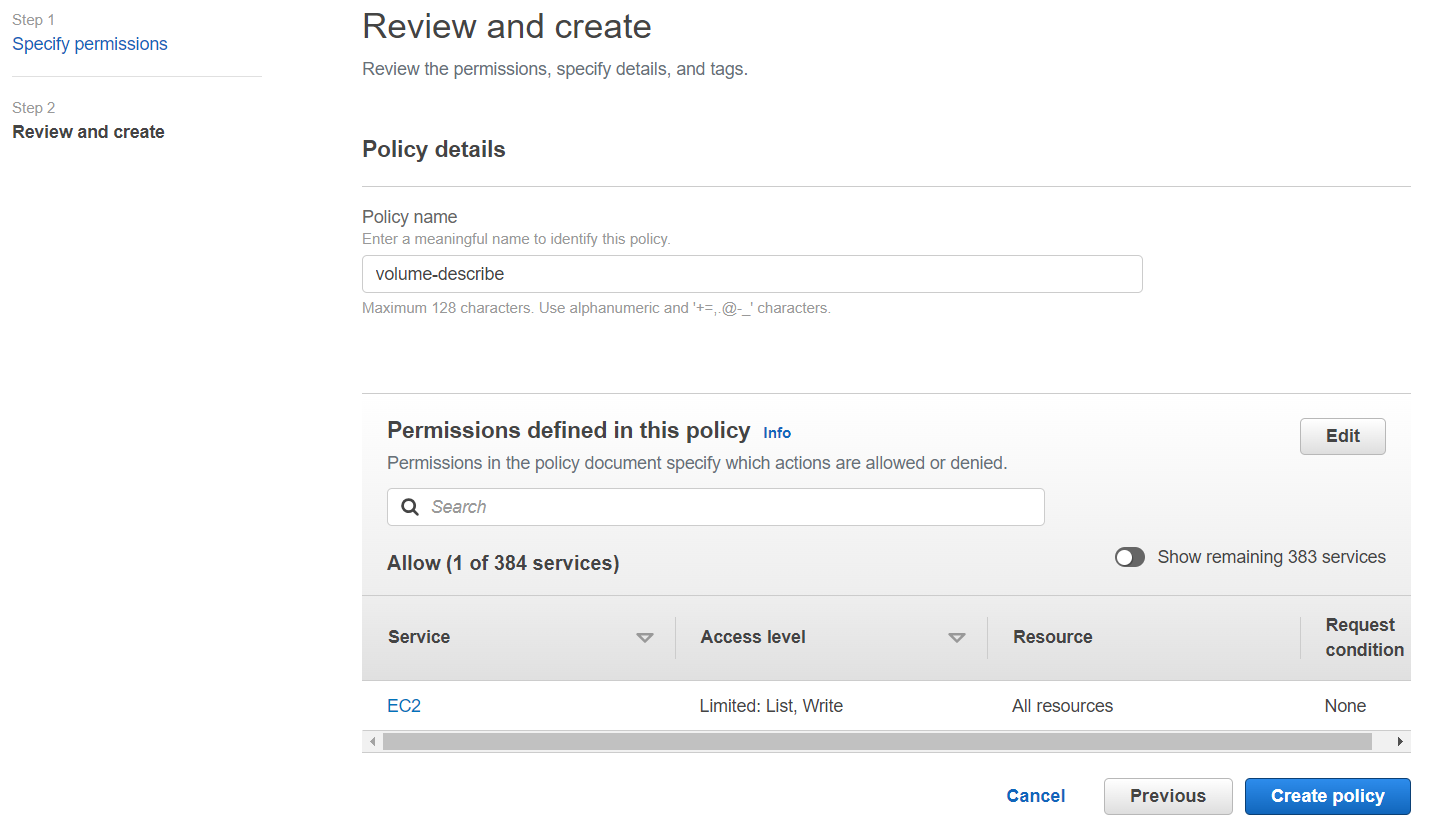
You will see newly created Policy is attached to your Role.
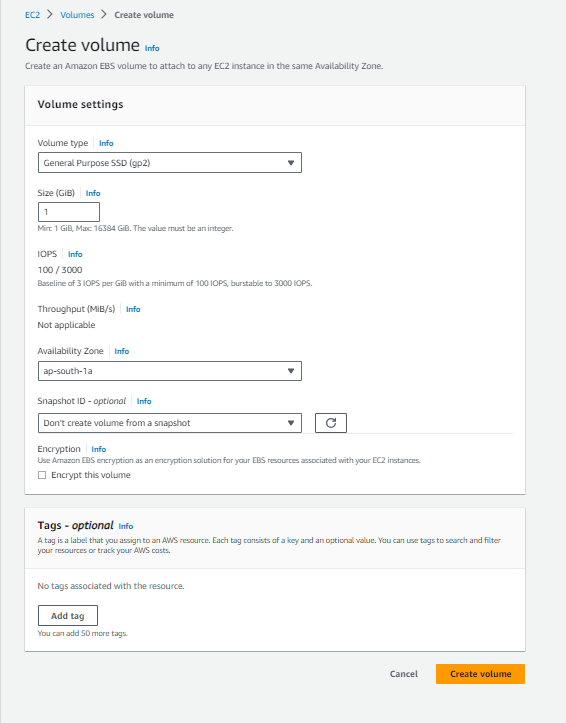
Create an EBS volume.
go to EC2 services and inside that, on the left-hand side you will see the section for Volumes. create a volume of type GP2.
After clicking on the Create Volume button, you will see type GP2 volume is created as below.

If you refresh the volume after 2-5 minutes you will see the Type of the volume is updated to GP3 now.
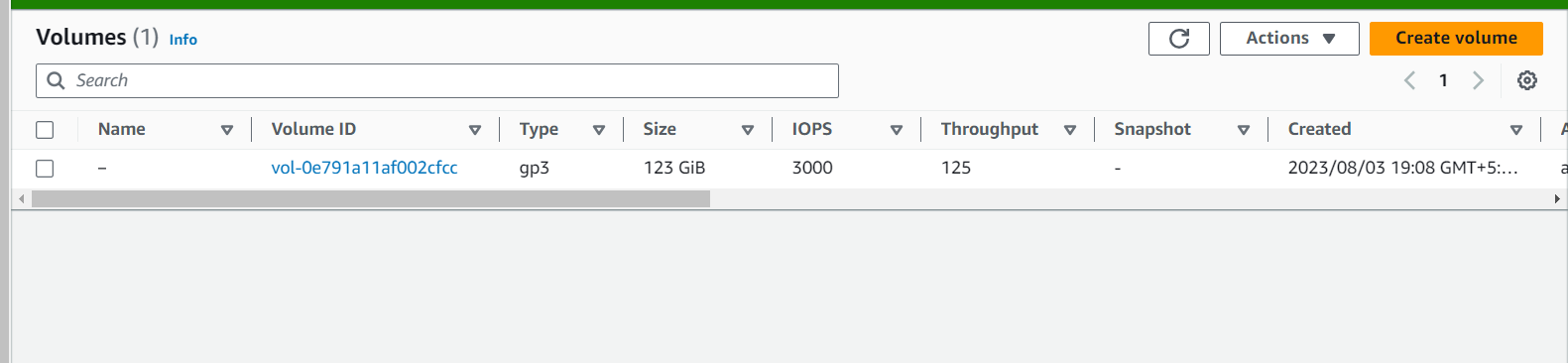
This means a cloudwatch event has triggered a lambda function when new EBS volume is created and updated its type to GP3.
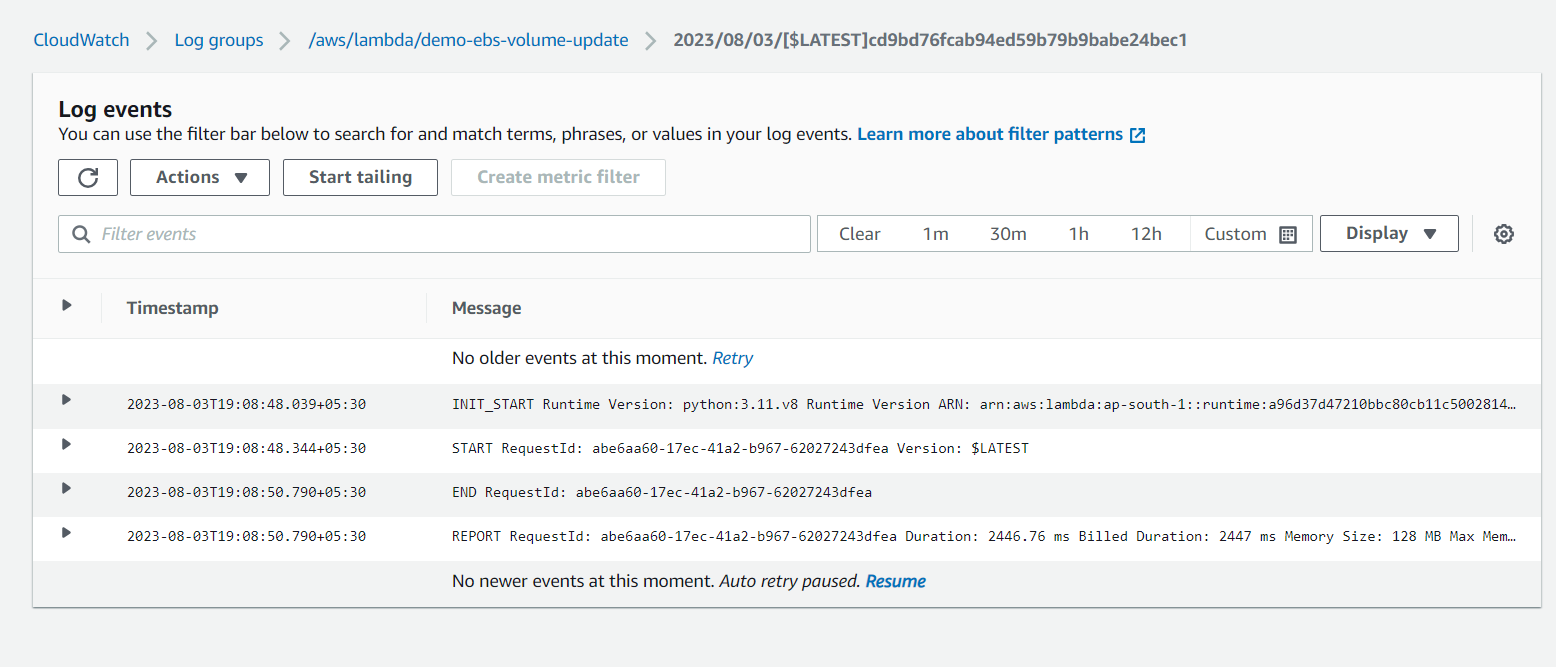
We can check the logs for this as well, go to cloudwatch -> Log Groups. select the Log groups.
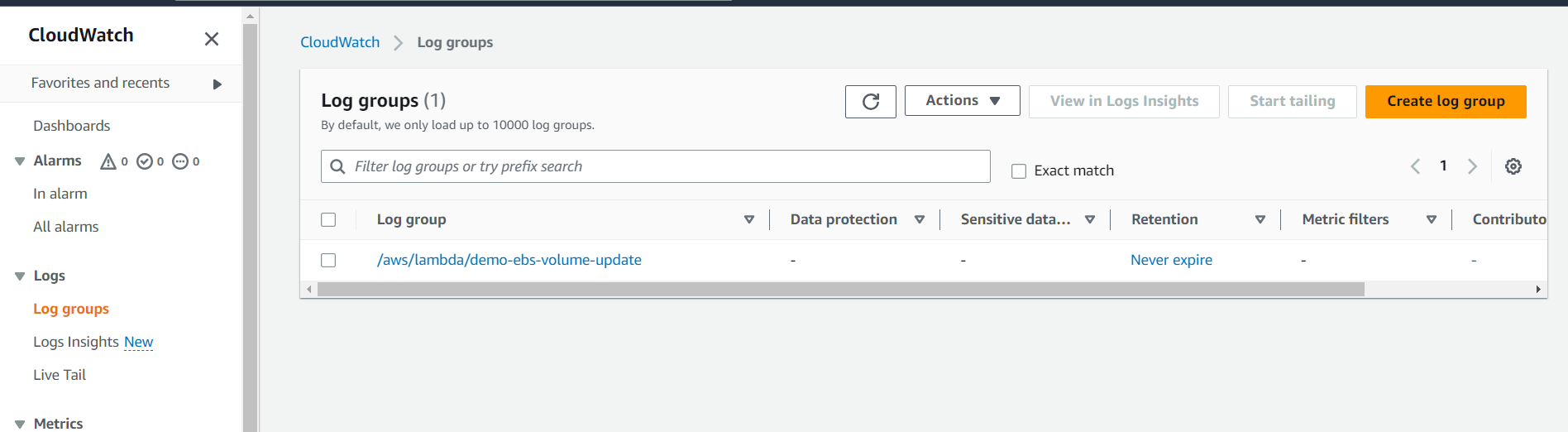
You will get the below details, once you select the Log Groups.
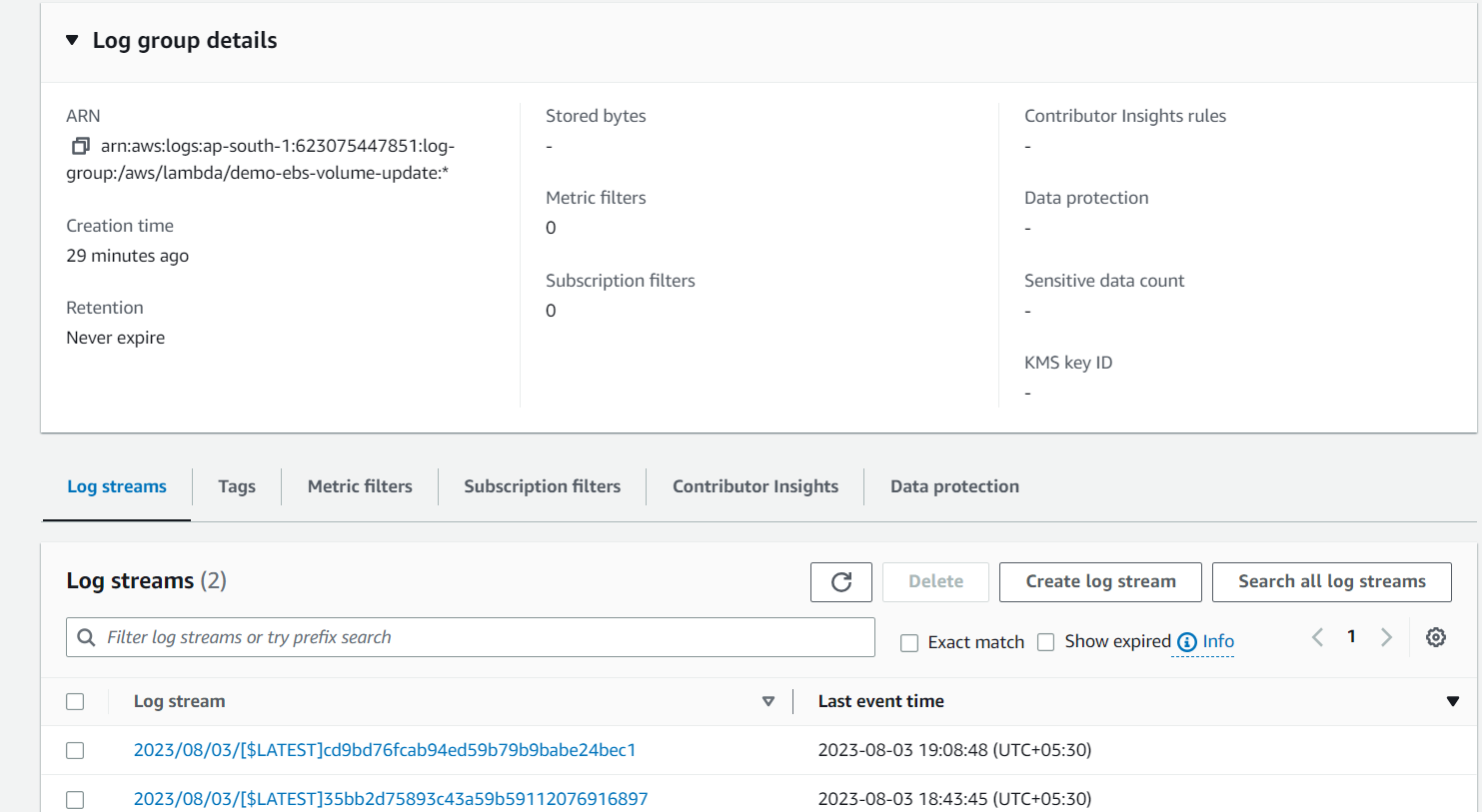
select the Lates Log Stream out of it and you will see the details like below.